Measuring Appliance Running Costs: A Practical Guide for UK Homes
The quarterly energy bill lands, and it’s higher than we expected. Again. We stare at the total, then at the breakdown of standing charges and unit rates, and we still have no idea whether it’s the tumble dryer, the ancient fridge-freezer, or the endless kettle boils that are pushing us over budget. Most of us guess, and most of us guess wrong. The good news is that a £10–£20 smart plug can turn that guessing game into hard data. In this guide, we’ll walk through exactly how to measure what each appliance in your home actually costs to run, and how to use that information to cut your bills.
Why Measuring Appliance Running Costs Matters
Since the Ofgem price cap was introduced, unit rates and standing charges have become regular dinner-table conversation. Even when the cap falls, standing charges have crept upward, meaning we pay more before we’ve switched on a single device. That makes every kilowatt-hour count. The problem is that UK households are consistently poor at estimating which appliances dominate their consumption. Studies repeatedly show that people overestimate the cost of small devices like phone chargers and underestimate the big continuous loads — cold appliances, heating, and wet appliances.
If you want to reduce a bill, you need to know where the money is going. Per-appliance measurement is the only way to get that clarity.
The Gap Between Estimated and Actual Usage
Energy labels give a rough idea, but they’re tested under standardised conditions that rarely match real life. A washing machine rated for 0.9 kWh per cycle might use 1.4 kWh on a cold day with a heavy load and a 40°C programme. A fridge-freezer’s consumption swings with kitchen temperature and how often the door opens. Without measurement, we’re working from averages that don’t reflect our homes.
How Smart Plugs Fill the Data Void
A smart plug with energy monitoring sits between the socket and the appliance and logs real usage in real time. Instead of relying on manufacturer claims, you see exactly what your device draws in your home, on your habits. That’s the foundation of any serious energy-saving plan.
How Smart Plugs Measure Energy Use
Energy-monitoring smart plugs contain a small current sensor and a microcontroller. They sample voltage and current many times per second, calculate instantaneous power in watts, and integrate that over time to produce kilowatt-hours (kWh). Many also let you enter your unit rate so the app displays cost directly.
Popular UK options include the TP-Link Kasa smart plug range, the Amazon Smart Plug, and Meross plugs. Note that not all smart plugs monitor energy — some are basic on/off switches with no metering at all. If cost tracking is your goal, check the spec sheet carefully before buying.
Key Specs to Look For: Wattage, kWh, and App Integration
- Maximum load rating: Most UK smart plugs handle 13A / 2990W, but check before plugging in a tumble dryer or heater.
- kWh logging: Look for historical data — daily, weekly, and monthly totals are far more useful than a live wattage readout alone.
- App quality: TP-Link Kasa and Meross both offer solid apps with exportable data; some budget brands do not.
- Tariff input: The ability to enter your pence-per-kWh rate so costs display in pounds and pence.
- Scheduling and timers: Useful for shifting loads to off-peak windows.
Smart Plug vs. Whole-Home Energy Monitor
A whole-home monitor clamps around your meter tails and shows total consumption — useful for spotting trends, but it can’t tell you which appliance is responsible. A smart plug gives you appliance-level granularity. The two work well together: use the whole-home monitor for the big picture and smart plugs to drill into specific suspects.
Step-by-Step: Measuring an Appliance’s Running Cost
The process is straightforward. Here’s how we approach it:
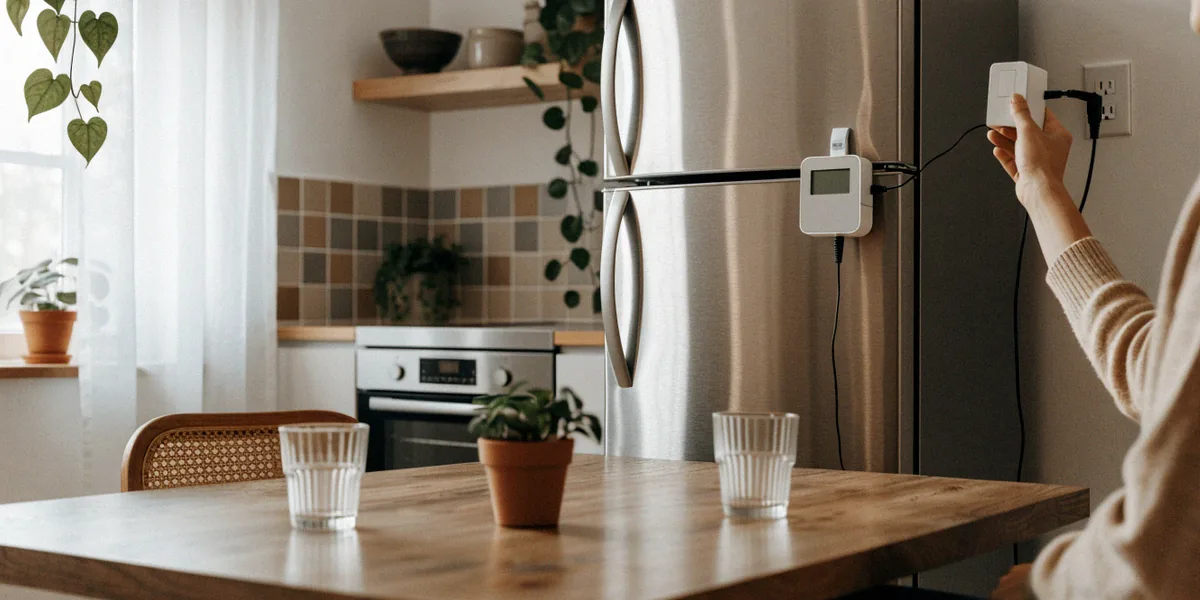
- Plug the smart plug into a wall socket (not an extension lead, for accuracy and safety).
- Plug the appliance into the smart plug.
- Reset the plug’s energy counter in the app so you start from zero.
- Run the appliance through a typical cycle — a full wash, a full dry, a day of fridge operation.
- Read the kWh total in the app once the cycle finishes.
- Multiply by your unit rate to get the cost in pounds and pence.
For example, a washing machine on a 40°C cycle typically uses between 0.8 and 1.2 kWh. At a unit rate of, say, 24p per kWh, that’s roughly 19p to 29p per wash. A kettle boiling 1.5 litres uses about 0.1 kWh — around 2.4p — but if you boil it six times a day, that adds up to over £50 a year.
Setting a Baseline and Tracking Over Time
One measurement is a snapshot; a month of data is a pattern. Leave the plug in place for at least a week, ideally a month, and note daily totals. You’ll quickly see whether a device is behaving as expected or quietly drifting upward — a common sign of a failing compressor or clogged dryer vent.
Converting kWh to Pounds and Pence
The formula is simple: kWh × your unit rate = cost. If your tariff has different day and night rates, measure the appliance during both windows separately, or check whether your smart plug app supports dual-rate input. Always add the standing charge consideration when comparing appliances — it’s fixed, so it doesn’t change which device costs more to run, but it does affect your total bill.
Using Smart Meters and Demand Response to Your Advantage
Most UK homes now have a SMETS2 smart meter, which reports consumption to your supplier every 30 minutes and shows real-time usage on an in-home display. That’s excellent for whole-home visibility, but it still can’t tell you which appliance is drawing the power. Pairing a smart meter with a few strategically placed smart plugs gives you the complete picture.
Beyond visibility, smart meters unlock time-of-use tariffs. Octopus Energy’s Agile tariff, for instance, prices electricity half-hourly based on wholesale market conditions — sometimes dropping to a few pence per kWh overnight, sometimes spiking during evening peaks. National Grid ESO demand response schemes go further, rewarding households and businesses for shifting or reducing consumption during grid stress events.
Pairing Smart Plugs with Time-of-Use Tariffs
If you’re on Agile or a similar tariff, a smart plug with scheduling becomes a money-saving tool. Set the dishwasher, washing machine, or tumble dryer to run during the cheapest half-hour windows. On some nights, Agile prices go negative — you’re effectively paid to use electricity. Smart plugs let you capitalise on that automatically.
What Demand Response Means for Your Appliances
Demand response is the grid asking nicely — and sometimes paying — for you to use less during peak times. In practice, this means delaying high-draw appliances like ovens, dryers, and EV chargers to off-peak hours. Smart plugs with energy monitoring make it easy to identify which appliances can be shifted without disrupting your routine, and which genuinely need to run on demand.
Common Mistakes and How to Avoid Them
We see the same errors come up again and again when people start measuring. Avoiding them saves time and prevents misleading conclusions.
Standby vs. Active Mode Confusion
A smart plug left on a TV might show 0.5W in standby and 80W during use. If you only glance at the live reading, you’ll miss the real cost. Always measure over a full cycle that includes the active period. Phantom loads — devices drawing power when “off” — are real, but they’re usually small compared to active consumption. Don’t let a 3W standby reading distract you from a 2000W heater.
Accuracy Limitations of Budget Smart Plugs
Cheap smart plugs often use simple averaging rather than true RMS measurement. For resistive loads like kettles and heaters, that’s fine. For devices with motors, compressors, or switch-mode power supplies — fridges, washing machines, laptops — the readings can be off by 10% or more. If precision matters, choose a plug known for true RMS metering, and cross-check against your smart meter’s whole-home reading where possible.
Turning Measurements into Energy Saving Actions
Data alone doesn’t cut bills. Action does. Once you know your top consumers, prioritise accordingly.
- Replace the worst offenders: An old A-rated fridge might use 300 kWh a year; a modern A-rated model can cut that by half.
- Use timers and schedules: A smart plug on a tumble dryer running only during off-peak windows can save £30–£60 a year on a time-of-use tariff.
- Adjust heating schedules: Smart plugs on electric heaters or immersion heaters let you match run times to occupancy.
- Switch to efficient models: When replacing appliances, check the energy label and expected annual kWh, not just the purchase price.
Prioritising Which Appliances to Tackle First
Start with the biggest continuous loads: cold appliances (fridge, freezer), then wet appliances (washing machine, dishwasher, tumble dryer), then heating and hot water. Small devices like chargers and routers are rarely worth the effort — measure them once to confirm, then move on.
Combining Smart Plugs with Other Efficiency Measures
Smart plugs work best alongside draught-proofing, loft insulation, LED lighting, and a well-set thermostat. Measurement tells you where to focus; efficiency measures deliver the savings.
FAQ
Do smart plugs work with UK three-pin sockets?
Yes. All the major UK smart plug brands — TP-Link Kasa, Amazon Smart Plug, Meross — are designed for standard BS 1363 three-pin sockets and typically rated to 13A.
Can I use a smart plug on a tumble dryer or washing machine?
Only if the plug is rated for the appliance’s maximum draw. Most UK smart plugs handle 13A (around 3000W), which covers typical washing machines and dryers, but always check the appliance’s rating first.
How accurate are smart plug energy readings?
Quality plugs using true RMS measurement are typically accurate to within 1–2%. Budget models using averaging can be off by 10% or more on motor-driven appliances.
Will a smart plug save me money on its own?
No — it’s a measurement tool. The savings come from acting on the data: shifting usage to cheaper hours, replacing inefficient appliances, or cutting standby waste.
Do I need a smart meter to use a smart plug?
No. Smart plugs work independently. A SMETS2 smart meter adds whole-home context and unlocks time-of-use tariffs, but the plug itself functions on any standard socket.
Measuring is the foundation of saving. Without knowing which appliances cost you the most, every efficiency decision is a guess. Start today with a single smart plug on the appliance you suspect most — the old fridge, the tumble dryer, the heater you forget to switch off — and let the data guide your next move. Small, informed changes compound into meaningful reductions on your annual bill.