What Is a Smart Plug Energy Meter? A Clear Guide for UK Homes
It’s a familiar scene in households across the UK: the energy bill lands, and the figure is higher than we expected. We look around the living room, the kitchen, the utility room, and we ask ourselves the same question — which appliance is actually driving this cost? A tumble dryer we run three times a week? A fridge that’s been humming away since 2011? The games console that never truly switches off? A smart plug energy meter answers that question with real numbers rather than guesswork, and it costs less than a takeaway for two.
Smart Plug Energy Meter: The Basics Explained
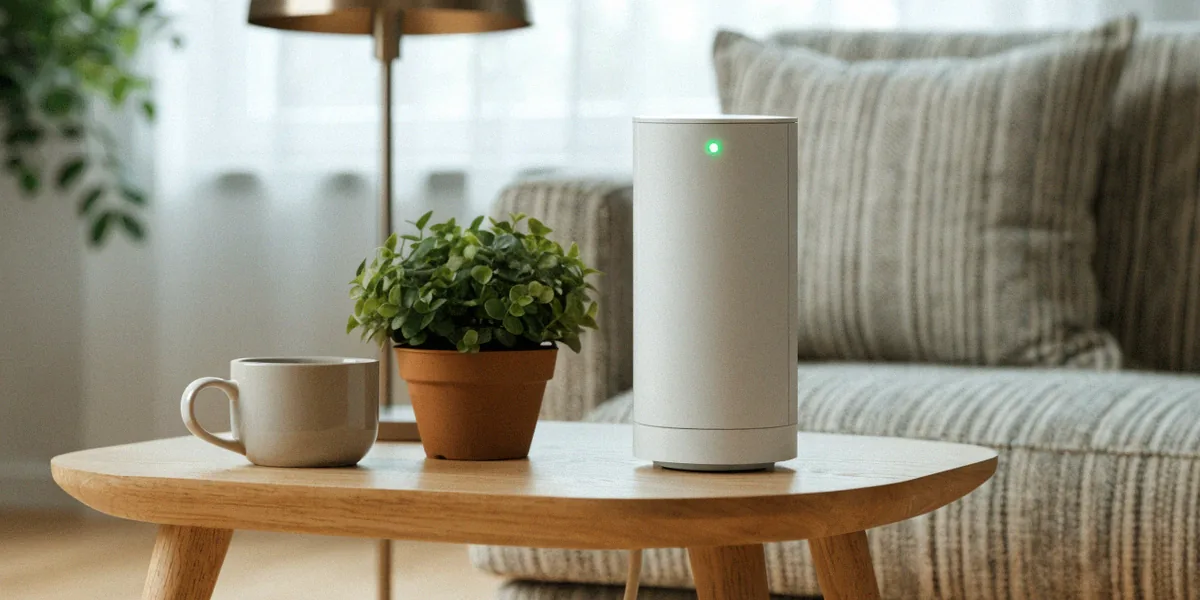
A smart plug energy meter is a plug-in device that sits between your wall socket and an appliance, measuring exactly how much electricity that appliance consumes. Most models connect over Wi-Fi or Bluetooth and send live and historical data to a smartphone app, so you can see watts in real time, kilowatt-hours over a day or week, and the estimated cost in pounds. Popular UK-available brands include TP-Link Tapo, Belkin Wemo, and Meross, all of which offer app-based monitoring and scheduling alongside the metering itself.
The appeal is simplicity. There’s no rewiring, no electrician, and no hub required for many models. You plug it in, pair it with your phone, and within minutes you’re watching the numbers move as you switch appliances on and off.
How It Differs from a Standard Smart Plug
A standard smart plug only does two things: it turns power on and off remotely, and it lets you set schedules or timers. It has no idea how much energy is flowing through it. A smart plug energy meter adds a measurement chip that tracks voltage, current, and power draw, then logs that data over time. That difference matters. If you want to know whether it’s cheaper to run a dehumidifier overnight or during the day, a plain smart plug can’t tell you — a metering plug can.
Key Features to Look For in the UK
- UK three-pin compatibility: Look for plugs designed for UK three-pin sockets, not imported two-pin models with adapters.
- UKCA certification: This is the post-Brexit UK conformity mark. CE marking still appears on older stock, but UKCA is the current standard for UK safety compliance.
- App quality: A clear, reliable app with daily and weekly graphs is more useful than a plug with a dozen features buried in a confusing interface.
- Energy monitoring without a hub: Models like the TP-Link Tapo P110 monitor consumption directly over Wi-Fi, so you don’t need to buy a separate bridge.
- Integration: Alexa, Google Home, and SmartThings support lets you fold the plug into routines you already use.
How Smart Plug Energy Meters Work with Your Smart Meter
It’s easy to confuse the two, so let’s separate them clearly. A smart meter is the device your energy supplier installs to measure your whole-home gas and electricity use, sending readings automatically rather than relying on you to submit them. Smart meters are being rolled out across the UK by suppliers like Octopus Energy, British Gas, and EDF. A smart plug energy meter, by contrast, measures one appliance at a time. The two work at different scales, and together they give you a much fuller picture than either can alone.
Whole-Home vs Appliance-Level Data
Your smart meter’s in-home display shows total consumption — useful, but blunt. It tells you the house is using 600 watts right now, not that 400 of those watts are coming from an ageing chest freezer in the garage. Appliance-level data from a smart plug fills in that gap. We like to think of the smart meter as the headline and the smart plug as the detail underneath it.
Using Both for Better Energy Saving
Start with your smart meter or supplier app to spot the expensive hours of the day. Then use a smart plug energy meter to test the individual appliances you suspect. Once you know, for example, that a tumble dryer cycle costs around £1.20 while a heated airer costs pennies, you can make a genuinely informed decision. Both data sources can sit side by side in apps, and some suppliers even let you link compatible devices so your monitoring lives in one place.
Real-World Benefits for UK Households
Ofgem energy price cap changes have kept household bills under pressure, and while the cap limits what suppliers can charge per unit, it doesn’t limit how much energy you use. That’s where measurement earns its keep. In our experience, most homes find two or three appliances responsible for a disproportionate share of consumption — often an old fridge, a tumble dryer, or an electric heater left on low for hours.
Cutting Standby Power and Phantom Loads
Standby power is real, if modest. Devices left on at the wall — TVs, set-top boxes, printers, chargers — can each draw a few watts continuously. Individually that’s small; across a household it adds up over a year. A smart plug energy meter lets you measure the actual standby draw of each device, then schedule the plug to cut power overnight or during working hours. You’re not guessing, and you’re not unplugging things manually every night.
Participating in Demand Response with Smart Plugs
Demand response schemes in the UK sometimes reward shifting energy use to off-peak times, and smart plugs are one of the simplest ways to take part. If you can schedule a washing machine, dishwasher, or immersion heater to run during cheaper windows, you reduce your costs and ease pressure on the grid at peak times. Some suppliers run trial schemes where participants earn credit or payments for shifting load — check what your supplier offers, because availability varies.
Choosing and Using a Smart Plug Energy Meter in the UK
Buying advice here is refreshingly straightforward. Confirm the plug is built for UK three-pin sockets and carries UKCA certification. Check that the app supports energy monitoring, not just on/off control — plenty of cheap “smart plugs” don’t measure anything. Then consider how it fits your existing setup: if you already use Alexa or Google Home, native integration saves you from juggling three apps.
Top Brands and Models Available in the UK
- TP-Link Tapo P110: A popular UK smart plug with energy monitoring, no hub required, and detailed consumption history in the Tapo app.
- Belkin Wemo: Long-established in the UK market, with solid HomeKit support for Apple households.
- Meross: Competitive pricing and reliable Alexa and Google Home integration.
Setup Tips and Common Pitfalls
- Connect the plug to a 2.4GHz Wi-Fi network — most models don’t support 5GHz, and this trips up a lot of first-time setups.
- Place it somewhere with a stable signal; a garage or outbuilding may need a mesh node or extender.
- Calibrate your expectations: readings are indicative, not utility-grade. Use them for comparison, not billing disputes.
- Don’t exceed the plug’s rated load — most UK models cap at 13A, but check before plugging in a heater or tumble dryer.
- Label each plug in the app. Once you have four or five, “Smart Plug 3” tells you nothing.
Limitations and What to Watch Out For
We’d be doing you a disservice if we pretended these devices were flawless. Accuracy varies between models, Wi-Fi dropouts happen, and not every product sold as a “smart plug” includes metering at all. Read the specification carefully before buying, and treat suspiciously cheap listings with caution.
Accuracy and Calibration
Consumer smart plugs typically measure within a few percent of true consumption, which is perfectly adequate for identifying energy hogs and comparing appliances. They are not calibrated instruments, so don’t expect them to match your supplier’s meter to the decimal. For most household decisions — should we replace this fridge, is this dryer costing us a fortune — a few percent either way changes nothing.
Safety and Certification Matters
This is the part we’d never skip. UK three-pin sockets require compatible smart plugs with proper UKCA certification, and very cheap imports sometimes lack it entirely. An uncertified plug handling a 13A load is a genuine fire risk. Buy from reputable retailers, check for the UKCA mark on the product or packaging, and avoid marketplace listings with no brand or documentation. The saving of a few pounds isn’t worth the risk.
FAQ
Do I need a smart meter to use a smart plug energy meter?
No. A smart plug energy meter works independently and measures whatever is plugged into it, regardless of whether your home has a smart meter. That said, pairing the two gives you whole-home and appliance-level data together, which is far more useful for spotting where your money goes.
Is the TP-Link Tapo P110 worth it for UK homes?
For most households, yes. It’s a popular UK smart plug with energy monitoring, requires no hub, fits standard UK three-pin sockets, and provides clear daily and weekly consumption data in the Tapo app. It’s a sensible starting point if you’re new to energy monitoring.
How accurate are smart plug energy meters?
Generally within a few percent of actual consumption. That’s accurate enough to compare appliances and identify waste, but not precise enough to replace your supplier’s meter for billing purposes. Think of them as decision-making tools rather than measurement instruments.
Can smart plugs really lower my energy bills?
They don’t lower bills by themselves — they show you where to act. In practice, the savings come from what you do with the data: replacing or rescheduling an inefficient appliance, cutting standby power, and shifting usage into cheaper off-peak windows or demand response schemes.
What should I check before buying a smart plug in the UK?
Confirm it’s built for UK three-pin sockets, carries UKCA certification, and actually includes energy monitoring rather than just remote switching. Also check app quality, 2.4GHz Wi-Fi compatibility, and whether it supports Alexa, Google Home, or SmartThings if you want it to fit into existing routines.
A smart plug energy meter is one of the cheapest, most practical tools available to UK households that want to understand and reduce their energy use. Pair it with your smart meter data, use it to hunt down the appliances that quietly cost the most, and take advantage of off-peak and demand response opportunities where your supplier offers them. You won’t fix everything overnight, but you’ll finally know where the money is going — and that’s the first step to spending less of it.